
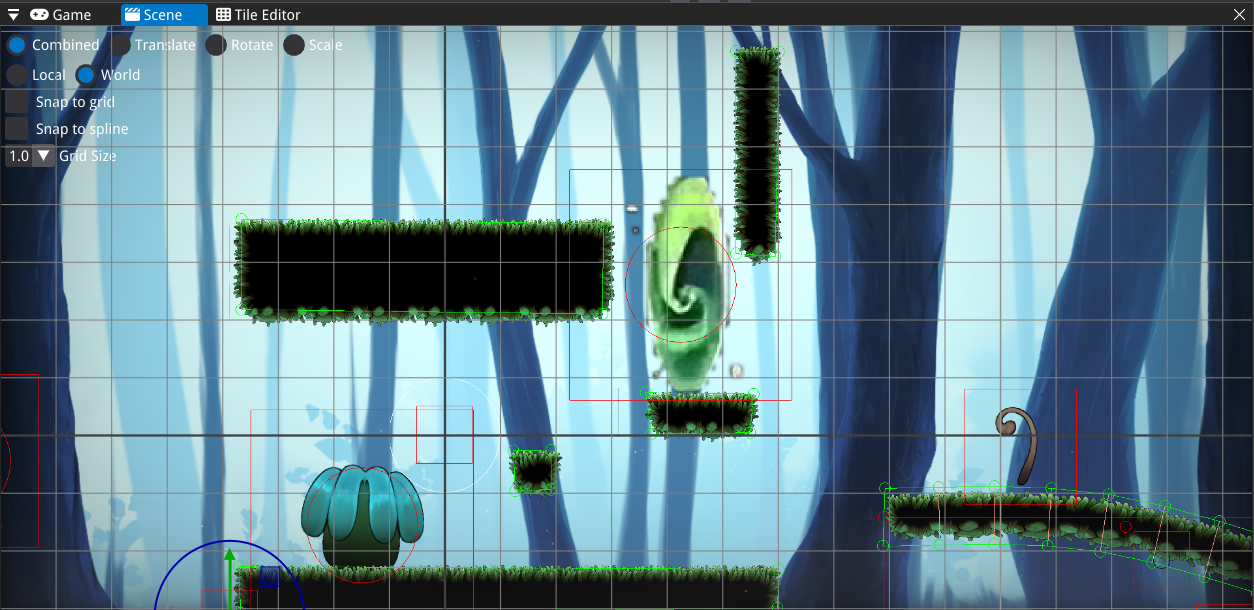
2D tile editor made with ImGui for the WASP custom engine (student team project). Supports creating custom collisions
Project Overview
I was in a team of 7 programmers and we had to create a custom engine. One of the tools that we needed for it was a 2D tile editor, so I made one using ImGui.
The requirements were that the user should be able to create, save, and load a tilemap, create custom collisions, generate a mesh with collisions that can be placed in the level.
The user can also scroll, zoom in, zoom out, and resize the map.
Tile Editor Functionality
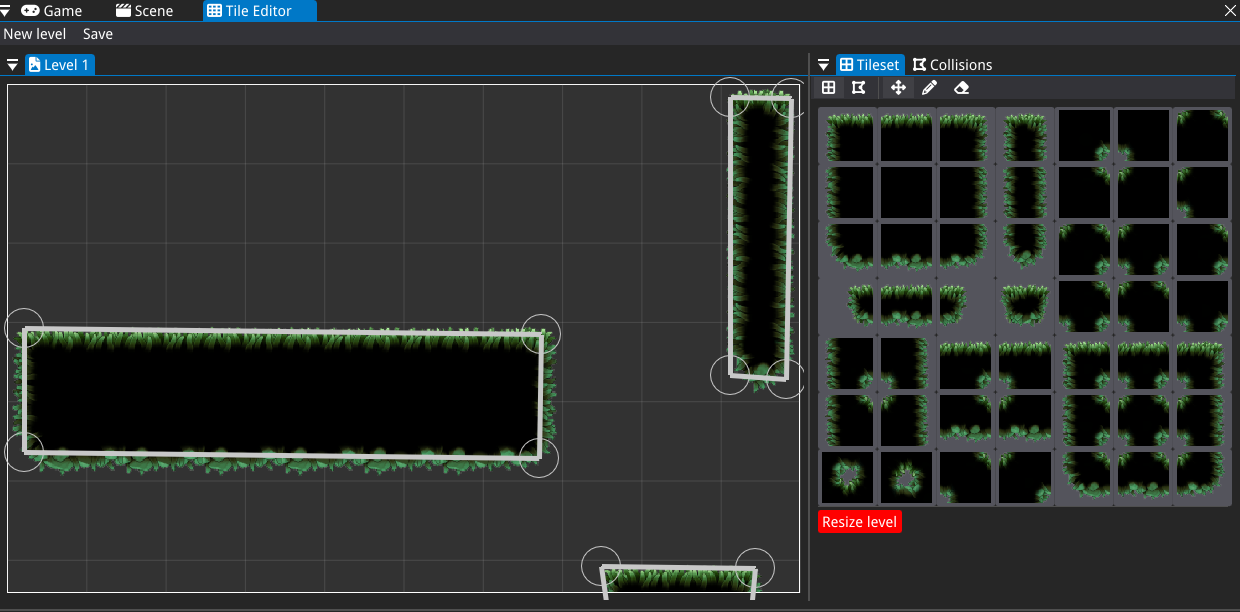
Users begin by selecting a tileset file and specifying its dimensions (rows and columns), along with the desired level size. The editor allows for intuitive "painting" of the level by selecting and placing tiles, as well as erasing them when necessary. Additional features include scrolling, zooming in and out, and resizing the map to accommodate various design requirements.
Collision Editor Features
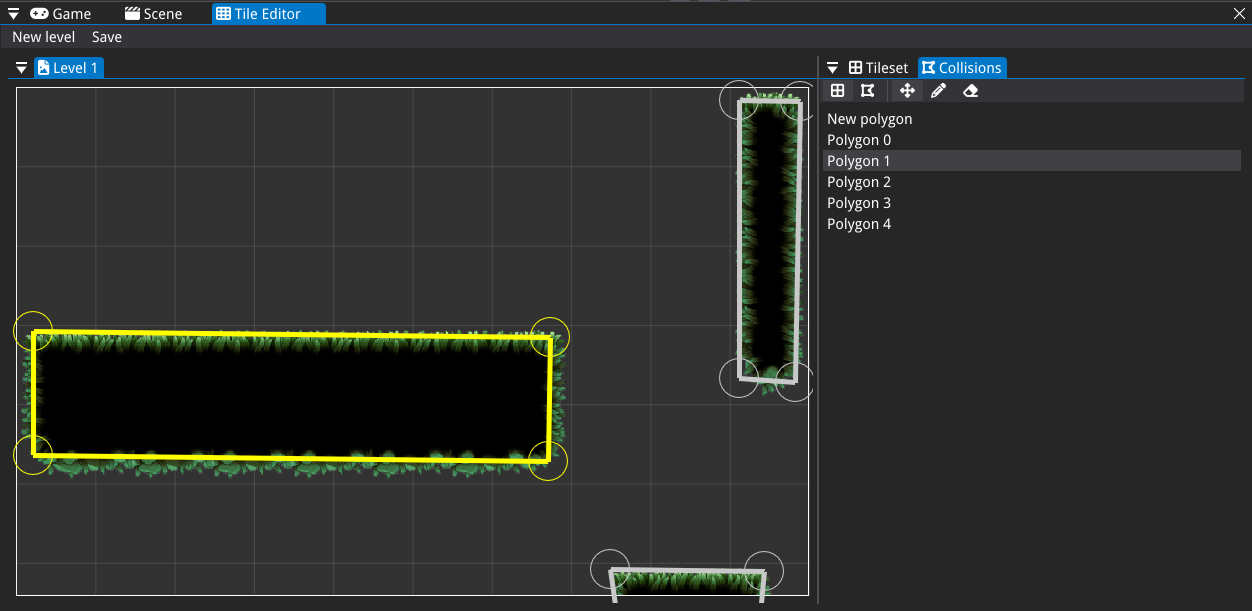
The Collision Editor facilitates the creation of polygon-based collision shapes. Users can define these shapes by placing points to form polygons, completing the shape upon connecting to the starting point. The editor also offers functionality to select existing polygons and modify them by adding, moving, or removing points, providing flexibility in collision design.
Mesh Generation and Integration
Once a tilemap is saved, it can be imported into the level editor, where a mesh with corresponding collisions is generated. Utilizing an Entity Component System (ECS) architecture, the tool creates a parent entity containing a mesh constructed from the tiles' vertices and indices. For each collision polygon, a child entity is generated with a polygon collision component, ensuring accurate collision representation within the game environment.
